
We've hired this dragon to stare at you.
A streamer friend approached me with a problem (paraphrased):
❞
quote
Hey, do you know any VRChat worlds with seats? I want to take photos to make a PNGTuber of my avatar as a stopgap until I get either a proper PNGTuber or have my avatar set up for VTubing.
After a few suggestions, we asked:
Hey, is there any reason you're doing this rather than streaming from within VRChat?
❞
quote
...YOU CAN DO THAT???
If they didn't know about it, there's a decent chance other streamers out there who would benefit also don't know.
acknowledgements
We need to thank the Arizona clade for - I believe - being the ones to first open our mind to this (and so many other possibilities).
And thank you to Max Firestorm for inspiring this one.
prerequisites
You will need:
- A computer capable of running VRChat (in desktop mode) at the same time as whatever else you want to do. (Or more computers and a way of getting footage to/from them, but that's out of scope)
- OBS + basic knowledge on how to set up a new Source.
- Optionally, a webcam of some description to use VRChat's Selfie Expression feature. The built in one on most laptops should be fine. For this article, work sent over a no-name piece of junk which looks substantially worse than the webcam built in to work laptop, so we're using that just to prove this still works with a potato.
- Optionally, an avatar with GoGo Loco installed. Public or private doesn't matter - we'll be using Morghus's demo edit of the Moonfang for this example.
process
vrchat
Change your camera settings:
- Camera Mode - Stream
- Spout Stream - On
- Mask - Set World to Off
Position it in a spot where you can see all of your body. Bare in mind that the final output might be flipped!
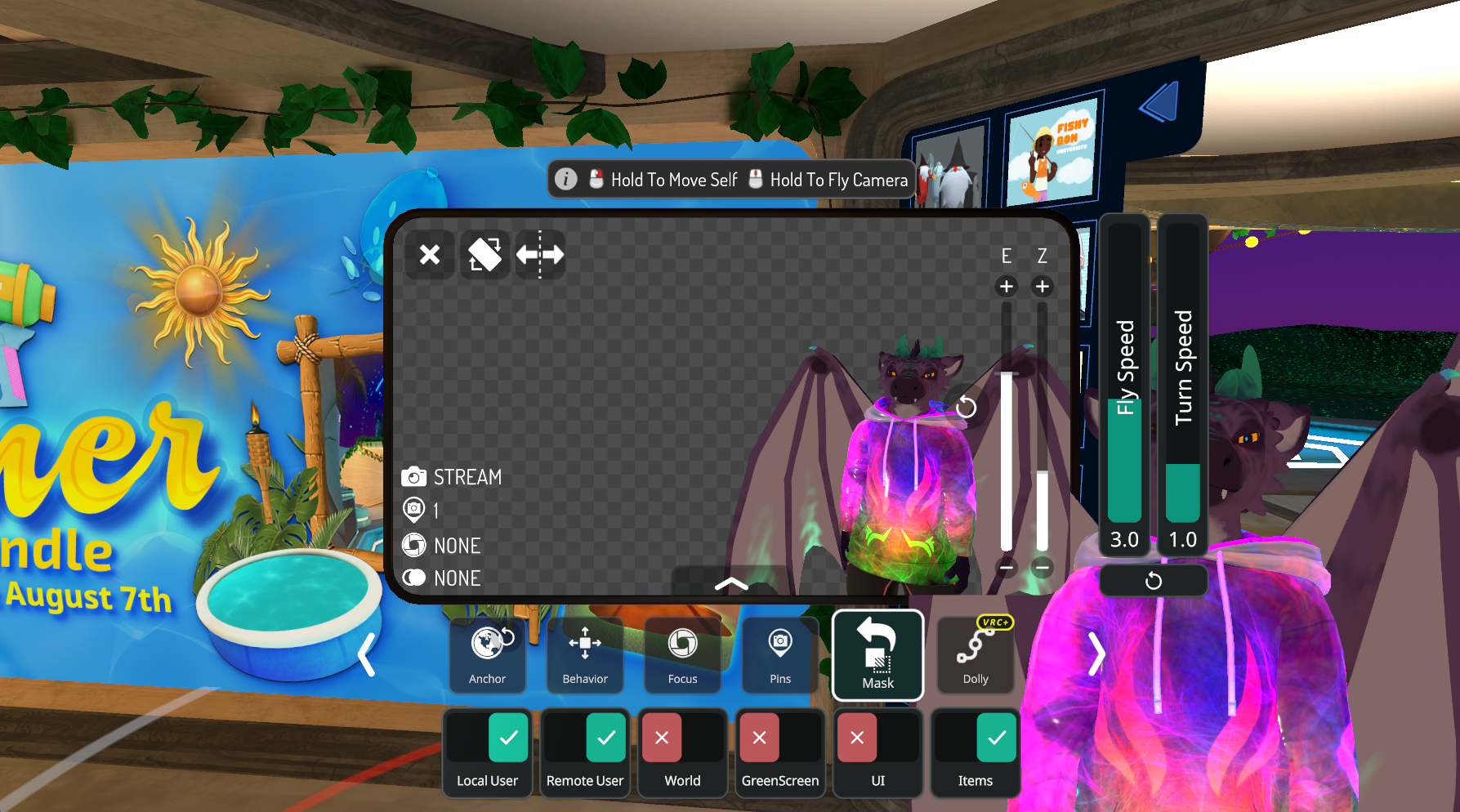
If you're using a webcam, go to Settings, click on the Expand button to get to the big menu, then Tracking & IK. Check the box next to Enable Selfie Expression.
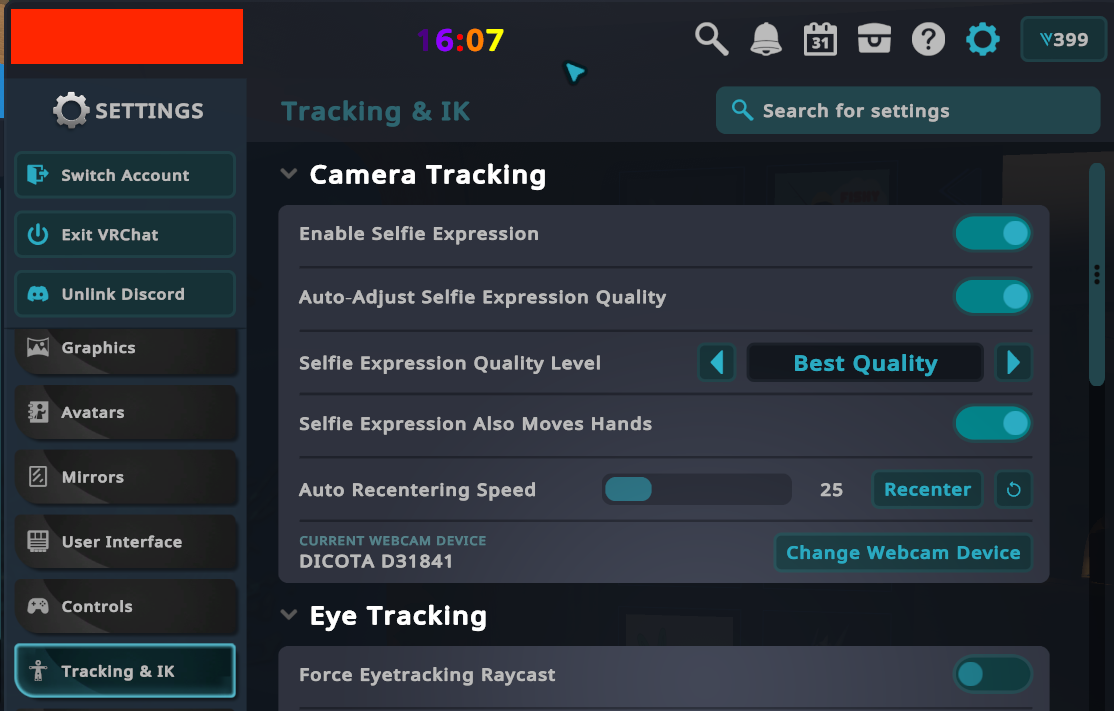
This will add a big preview version of your avatar to the game window, but that in itself isn't a VTuber.
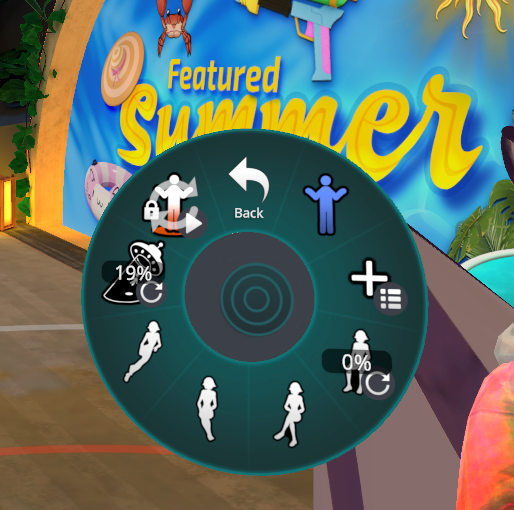
Use that and GoGo Loco to strike a pose, if you want. Use GGL's lock locomotion option to prevent accidentally leaving the frame if you hit your keyboard.
obs
Set up a new Spout2 stream source. Position as needed, then click into the Properties and make sure it's set to anything other than Opaque. (And set the sending application if you have more than one)
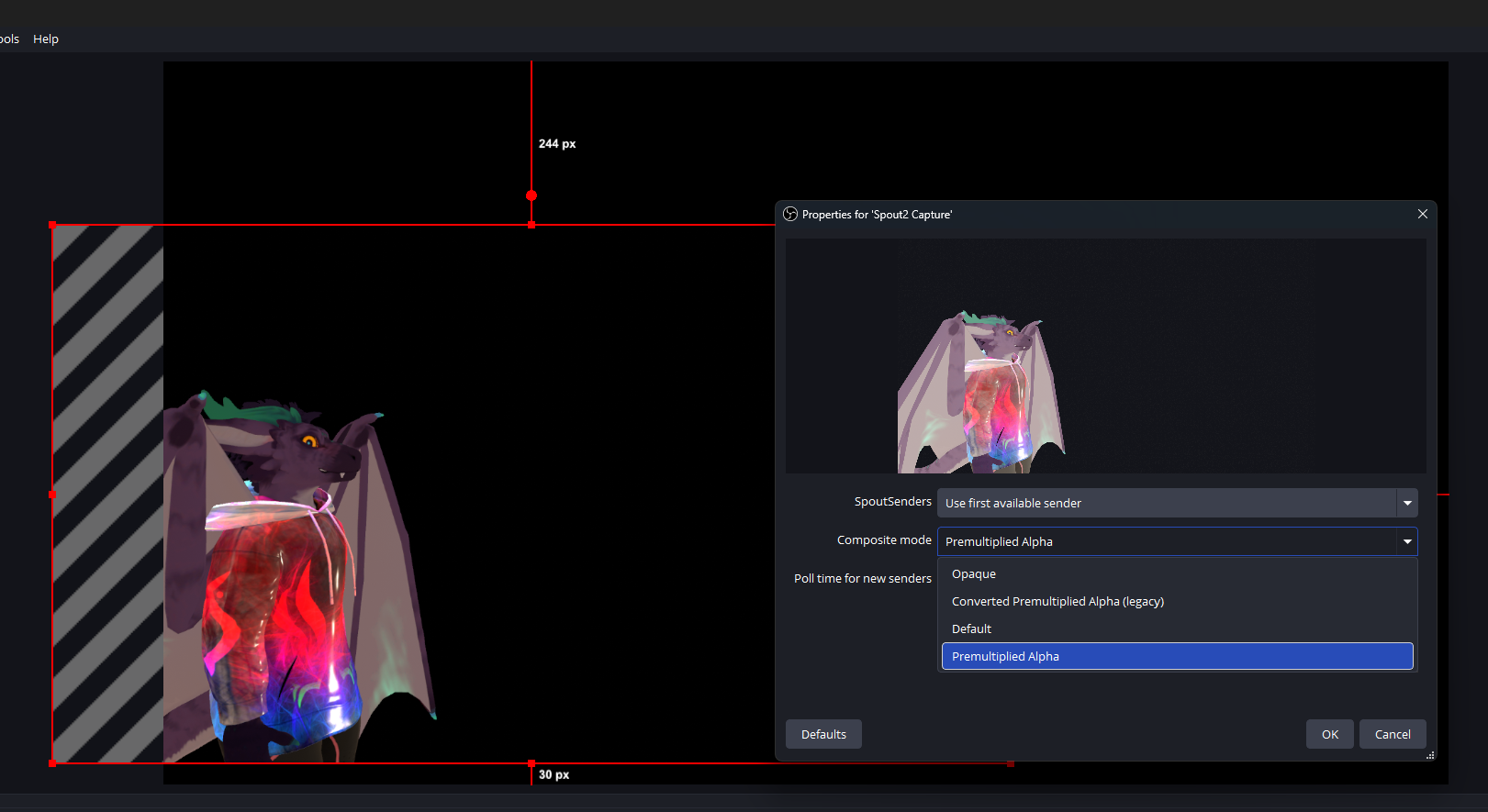
Bring in whatever you need behind it - preferably something other than VRChat itself...
we're done
That's it, quick and simple, you can be going in 5 mins or less. From here, you can do all the things you'd normally do in OBS - stream with your avatar, set up a virtual camera for use in Discord (or work Teams/Slack if you're feeling frisky), etc.